I’m working with Platforma to analyze TCR beta sequencing libraries generated using the SMARTer TCR a/b Profiling Kit v2 (with UMIs). I’m currently processing three different sets of samples.
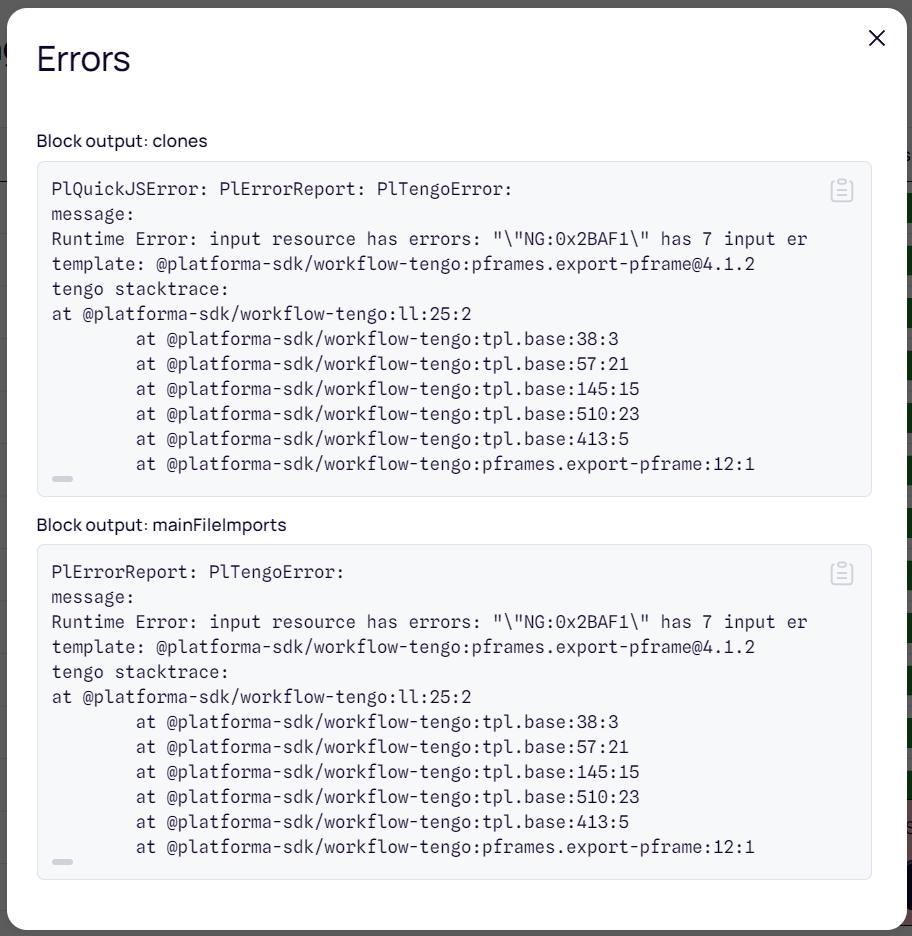
After running the “MiXCR Clonotyping” block, I receive the message:
“Some outputs have errors”, as shown below:
Despite this, I see that each sample has an output report that states the analysis was completed successfully. However, when I try to proceed to the “Clonotype Browser” step (to annotate, track, and filter clonotypes), no dataset appears under “Samples & Data”, so I’m unable to continue the analysis.
I suspect the issue originates from one or more samples producing partial or malformed results during MiXCR Clonotyping, potentially preventing the creation of a complete dataset.
Here are a few specific questions I have:
How can I identify which sample(s) are causing the error in MiXCR Clonotyping? Are there logs or specific indicators I can check?
Is it possible that one problematic sample is blocking the creation of the dataset required for Clonotype Browser? (e.g., an unexpected number of input files or metadata issues)
Could this issue be caused by an outdated version of Platforma or any of its dependencies (e.g., Python, MiXCR version, workflow components)?
Finally, does the presence of UMIs require special configuration that might affect dataset compatibility?
Any suggestions or troubleshooting steps would be greatly appreciated.
I am actually able to see 1 TCR b clonotype from 1 sample (although this sample should have 92 clonotypes) and the dataset in total should have >500 TCR clonotypes based on the MIXCR clonotyping which was run successfully. I was actually able to clear the error below (by installing the 7zip folder in the proper location) and restarted software twice but I still do not see more clonotypes loading in the browser.
PlQuickJSError: PlErrorReport: PlRunnerError:
command: /Users/mm/Platforma/local/packages/installed/platforma-open/software/platforma-open/milaboratories.software-binary-collection.software-7zip/main/1.2.0-macosx-x64.0x5B10C/bin/7zz
exit code: 127
working directory: workdirs/0x823EF
stdout:
env: /Users/mm/Platforma/local/packages/installed/platforma-open/software/platforma-open/milaboratories.software-binary-collection.software-7zip/main/1.2.0-macosx-x64.0x5B10C/bin/7zz: No such file or directory
I am using MacOS and in built in mode.
If you provide an email I can send screeshots of my MIXCR clonotyping output and clonotype browser output.